Most task apps treat the Apple Watch as a screen to read.
You get a list, you look at the list, and then you take your phone out to do anything about it. That leaves the watch as a second screen for your phone rather than a tool of its own.
The PathDay watch app is a real app rather than a viewer. It opens on Today, it carries Previous Days, Ongoing, Habits and Mantras with it, and everything on it does something when you tap it.
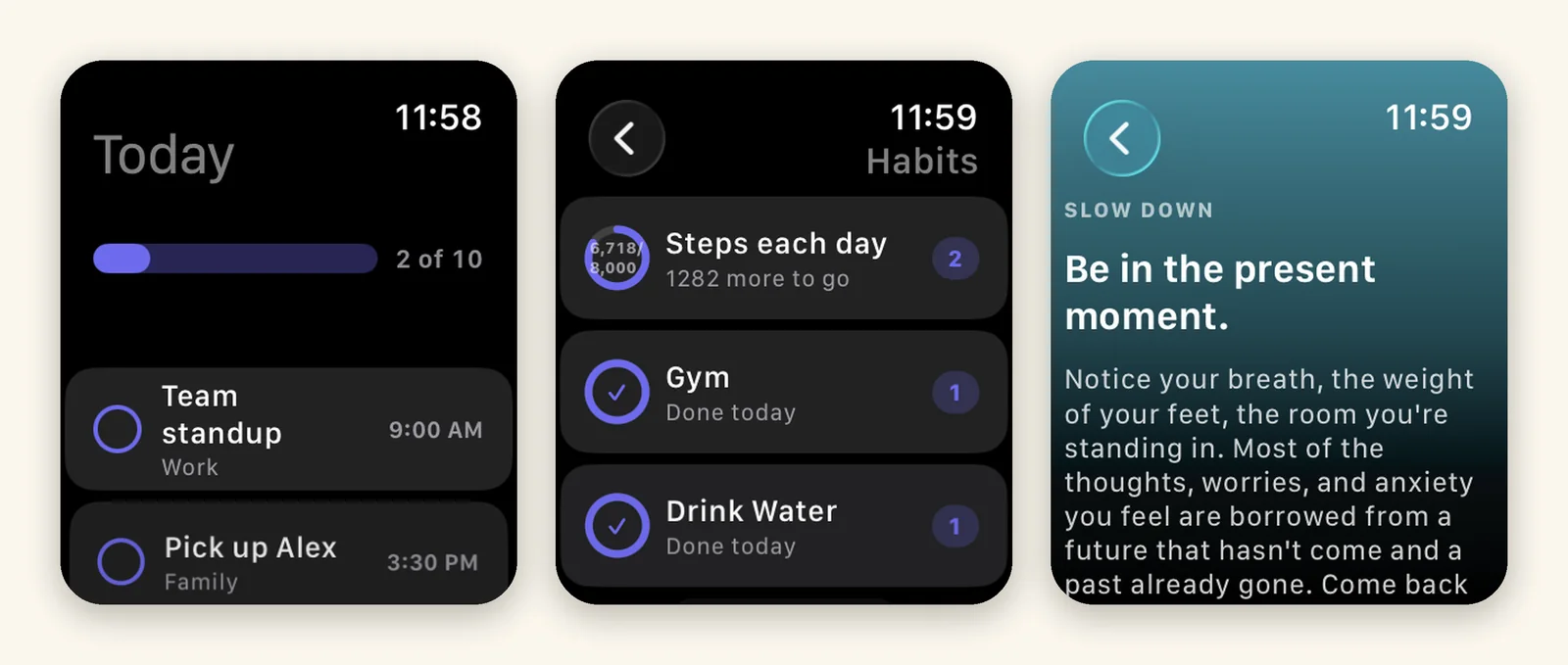
It opens on Today
It asks the same question the phone opens with. The bar across the top is the day in one line: how many you have closed out against how many the day actually holds. Underneath it, anything with a time comes first, and every task carries its category, so you can tell at a glance which part of your life you are looking at.
That last part matters more on a watch than anywhere else. On a phone you have room for color, tags and a sidebar. On a watch you get a few words, and “Team standup, Work” tells you what you need without any of them.
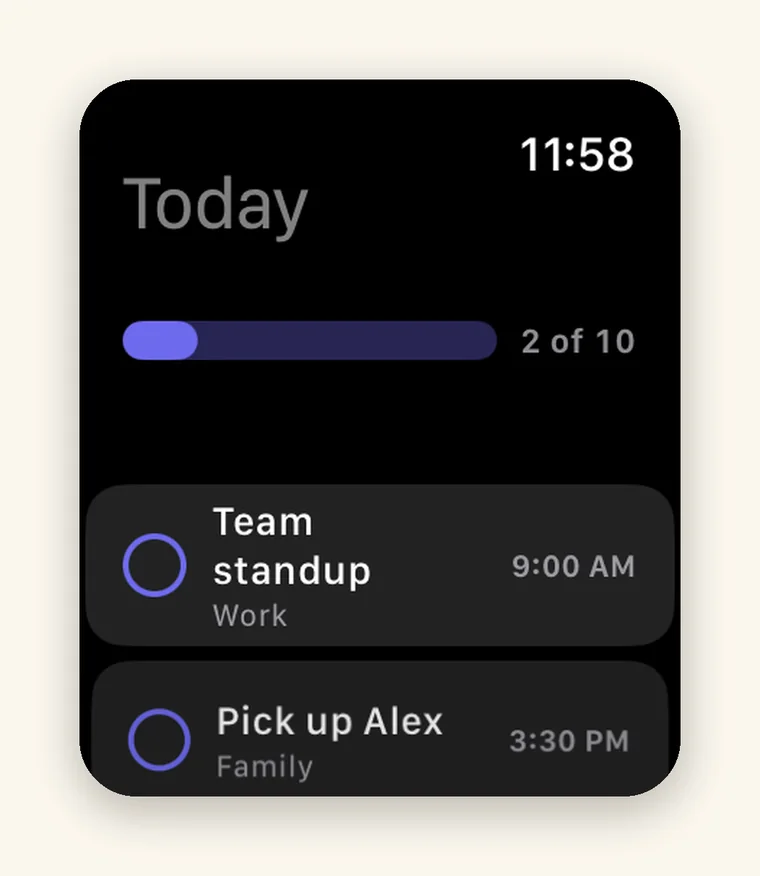
You can actually finish things
Tap the circle and the task is done. It is not queued or opened on your phone a minute later. It is done, on the watch, and already true everywhere else by the time you look.
Finished tasks stay where they were and go struck through rather than disappearing. This is deliberate. A list that empties itself as you work gives you no sense of having done anything, and by the afternoon you are looking at three remaining items with no evidence of the seven you cleared. Leaving them in place, with a line through them, is the difference between a list and a record.
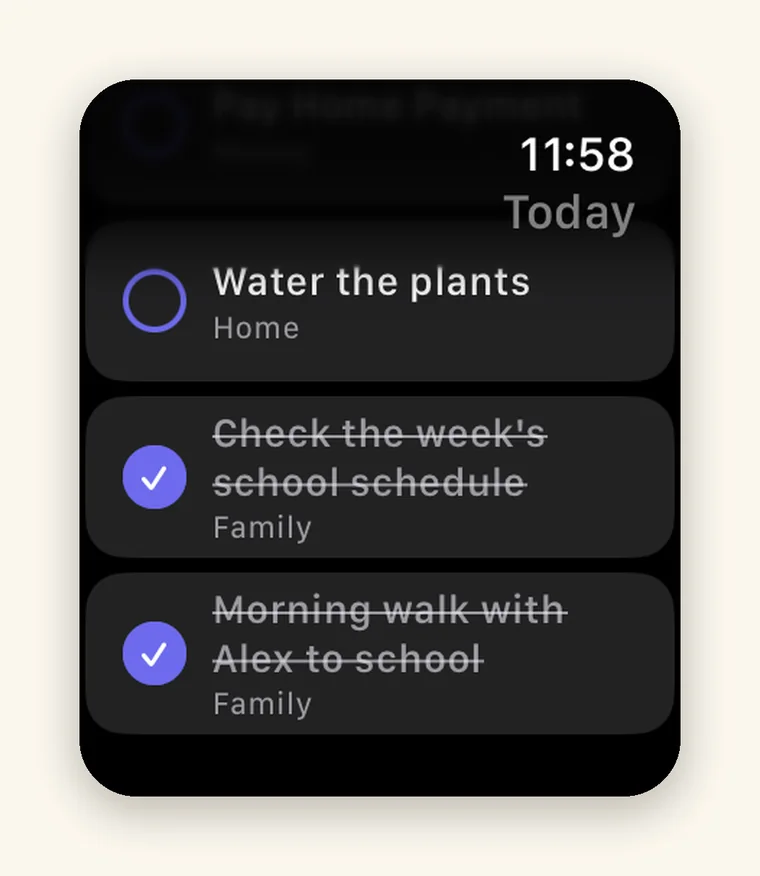
Tapping the task itself rather than the circle opens it, with its date and its category, so you can check what you actually meant before you tick it off.
Habits is the one I use most
This is the screen that earns the watch app, because habits are the thing you log while you are away from your desk.
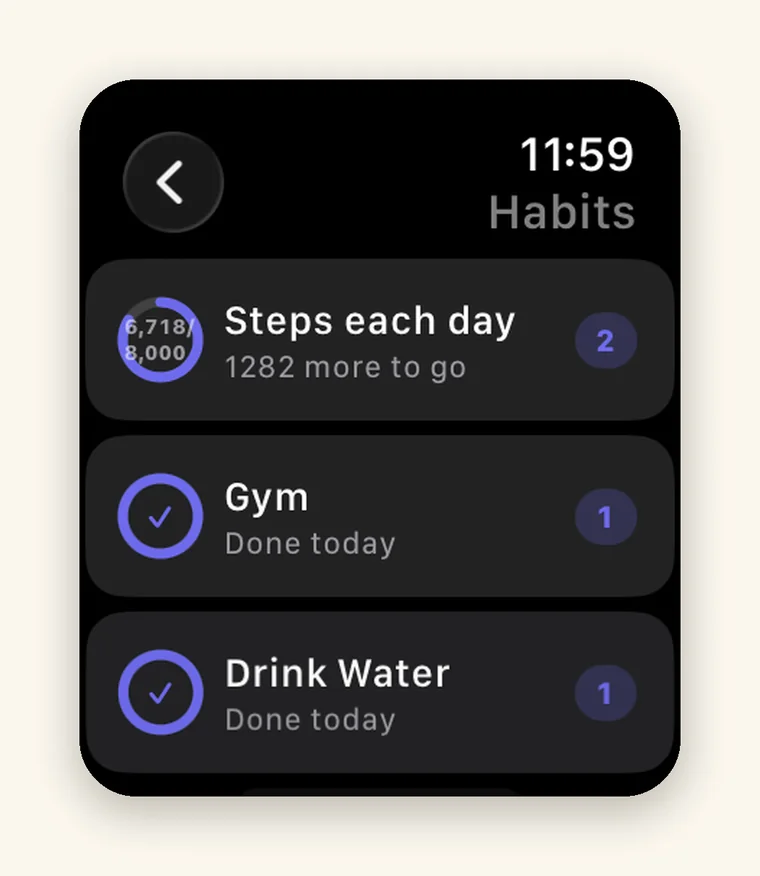
Steps each day shows a ring with the real number inside it, 6,718 of 8,000, and then tells you 1,282 more to go instead of leaving you to work it out. Gym and Drink Water are done for the day and say so plainly. The small number on the right of each row is the streak, still running.
Nothing here is a summary of something you have to open the phone to change. Each row logs from the watch.
Mantras, in full
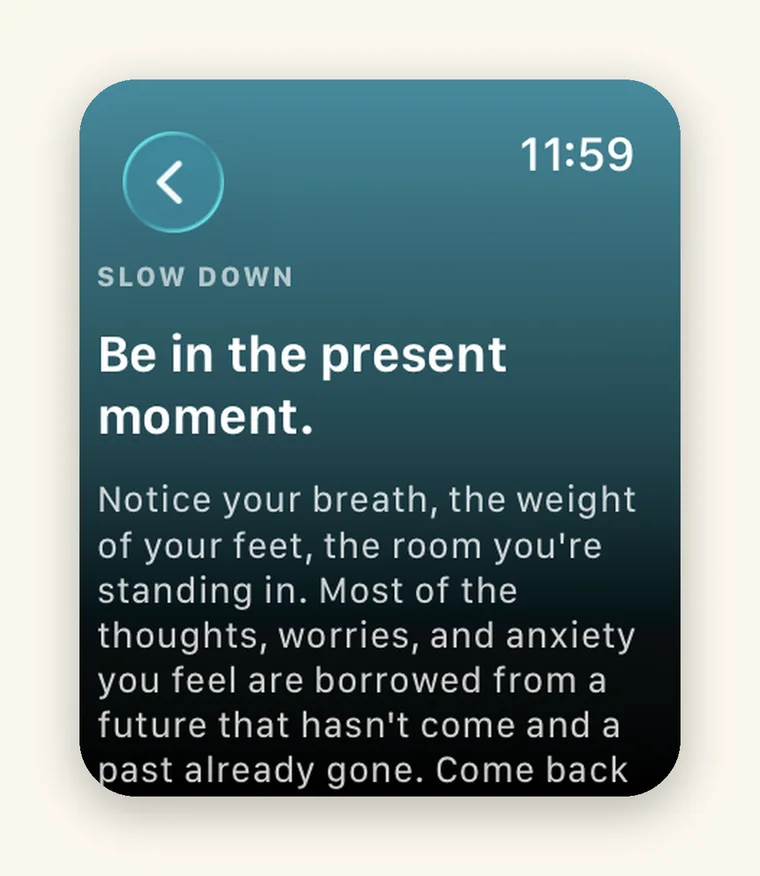
The mantra on the watch is the whole mantra, not a preview that trails off and sends you to your phone to read the rest. You get the title, you get the body, you read it, and you mark it read from there.
Of everything in PathDay this is the part I most expected to have to cut down for the watch, and it turned out to be the part that suits it best. A mantra is a paragraph. A watch is a good place to read a paragraph and then put your arm down.
What it is not
As with the Home Screen widgets, it is worth being clear about the edges. There are no complications, so PathDay does not appear on your watch face and there is nothing to add to one. There are no watch widgets either. You open it the way you open an app.
Complications are worth building, and they are the right feature for a habit you log at the same time every day. They are just not built yet, and a roadmap is not a feature.
It is the same data
The watch app reads and writes through the same private iCloud as your iPhone, iPad and Mac. There is no separate watch database and no export step. Whatever you tap on your wrist is already true on your other devices by the time you get to them, and the Home Screen widgets are reading that same data too.
That is the whole point of putting it on a watch. Not so you can look at your day, but so you can get on with it.
PathDay is on iPhone, iPad, Apple Watch and Mac. Free.