PathDay Media Kit
Everything you need to write about PathDay. Facts, ready-to-use descriptions, screenshots, and brand guidance, all in one place. Feel free to lift any copy on this page word for word.
Fast Facts
- App name
- PathDay (App Store: PathDay: Personal Productivity)
- Subtitle
- Tasks, Habits, Focus & Mantras
- Tagline
- A complete, integrated daily productivity system.
- Category
- Productivity
- Platforms
- iPhone, iPad, Mac, and Apple Watch
- Price
- Free. Every feature is included and stays free. No ads, no tracking, no in-app purchases, no subscription.
- Sync and privacy
- Everything syncs automatically through your own private iCloud. Your data is never sold or shared.
- Publisher
- Minds Illuminated LLC
- Developer
- Jerimy Carroll, an independent developer
- App Store
- Download PathDay on the App Store
- Website
- pathday.io
- YouTube
- youtube.com/@PathDay
- Press contact
- Reach us through the FAQ & Support page.
About PathDay
PathDay is a complete, integrated daily productivity system for iPhone, iPad, Mac, and Apple Watch. Most people run their week across five different apps and none of them talk to each other. PathDay brings the pieces into one place and gives them a single daily rhythm. Six practices work together: Tasks keep your priorities clear, the Inbox holds anything you have not decided about yet, Habits build consistency that lasts, Focus protects your attention, Mantras ground each day in intention, and the Journal records the day you actually had.
A path is walked one day at a time.
PathDay is built and actively maintained by independent developer Jerimy Carroll, who uses it every day to run real work and personal goals. Every feature is free and stays free. It keeps your data private and in sync through iCloud across all your Apple devices.
The Six Pillars
Each piece is simple on its own. Together they keep today clear.
Tasks
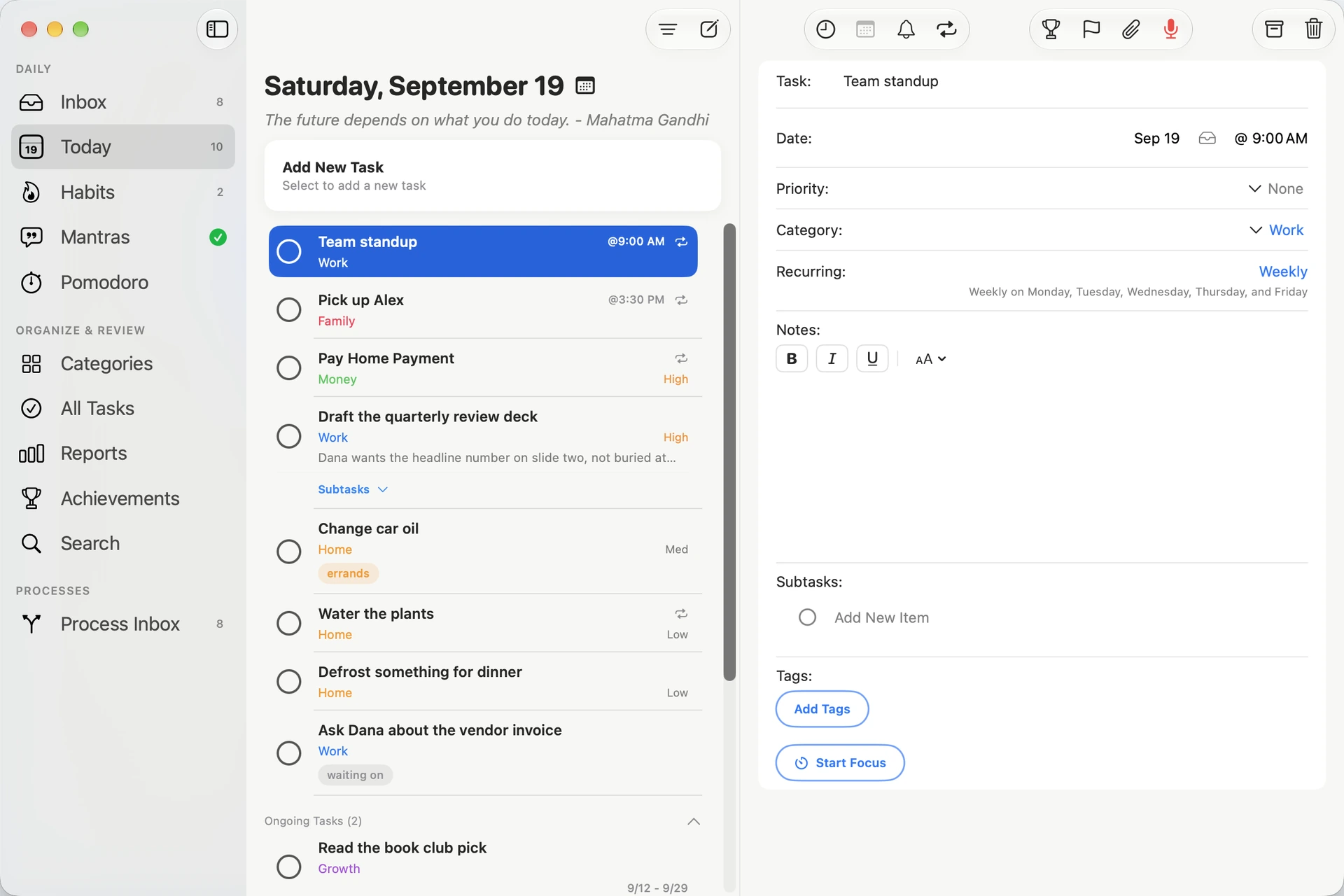
One clear view of today. Set priorities, due dates, reminders, subtasks, notes, and attachments, and organize everything into categories and tags. Recurring tasks keep ongoing commitments alive, and reporting shows your progress across months and years.
Inbox
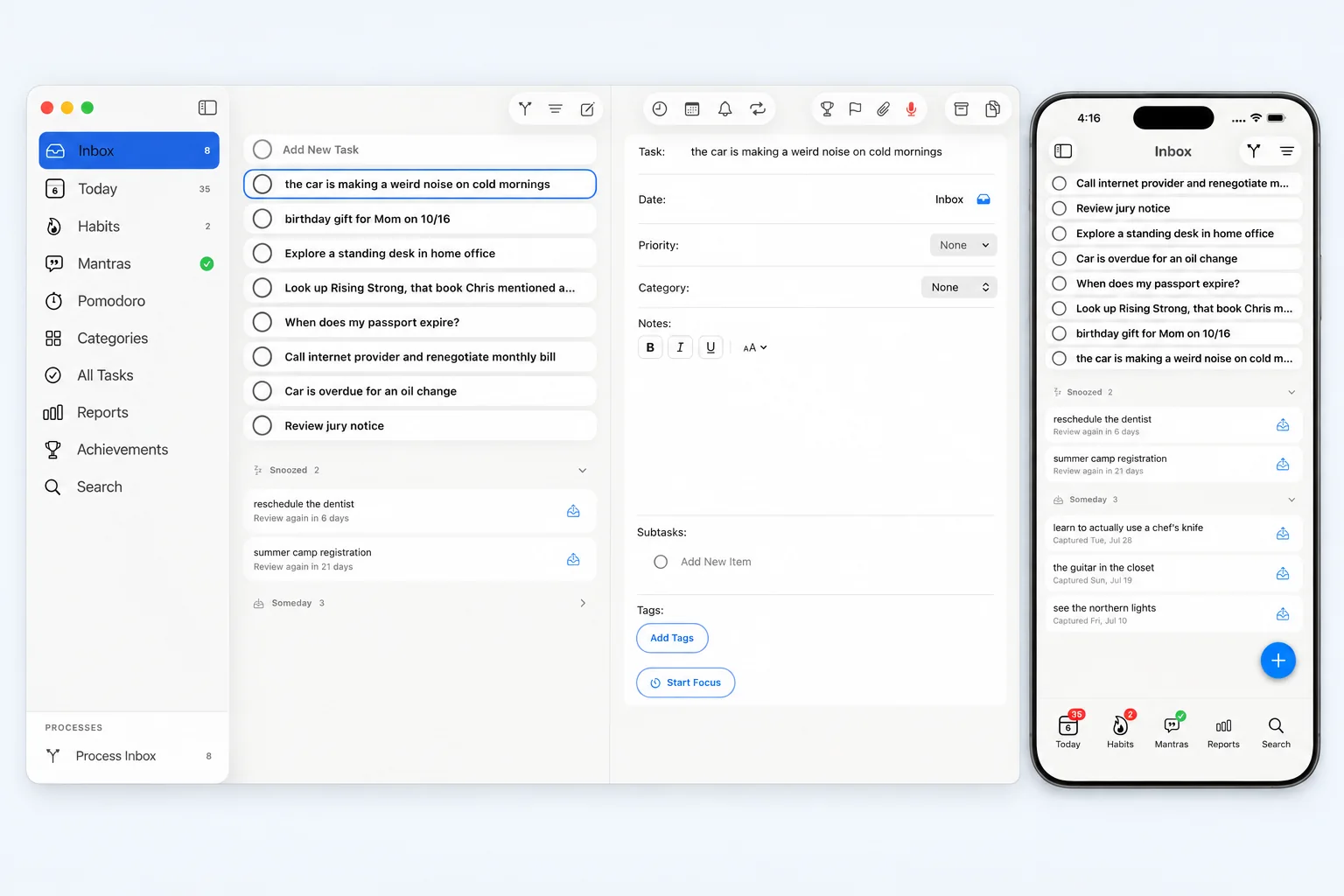
Capture now, decide later. Anything you are not ready to file lands in the Inbox in one tap, with no date and no category, and waits there. Process the whole lot in one deliberate pass: schedule it, snooze it, or set it aside for Someday. Snoozed items come back on their own.
Habits
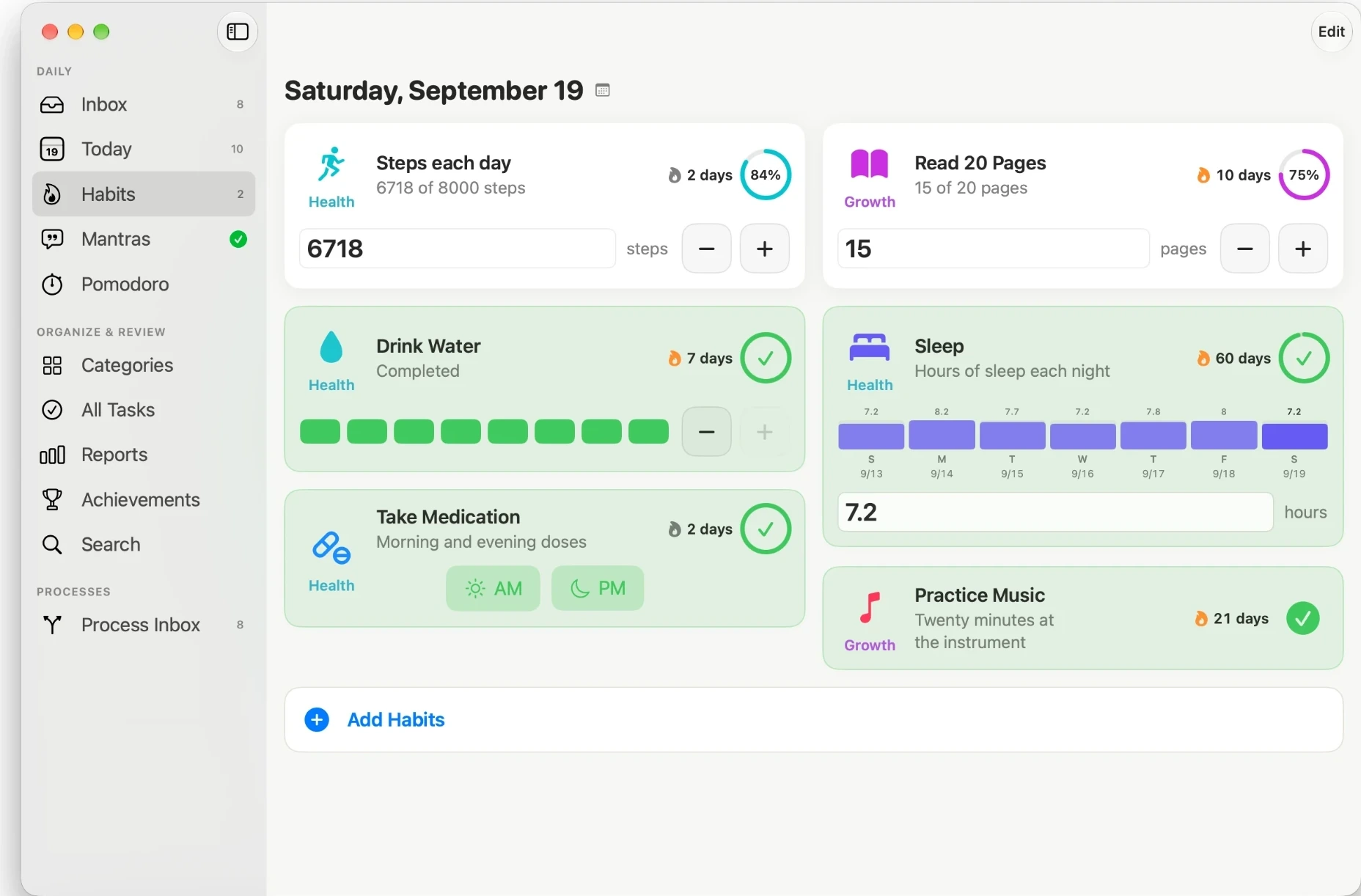
Build routines that last. Track habits as cards with streaks, log any past day, and keep the momentum going. Missing a day does not mean starting over, so consistency stays within reach.
Focus
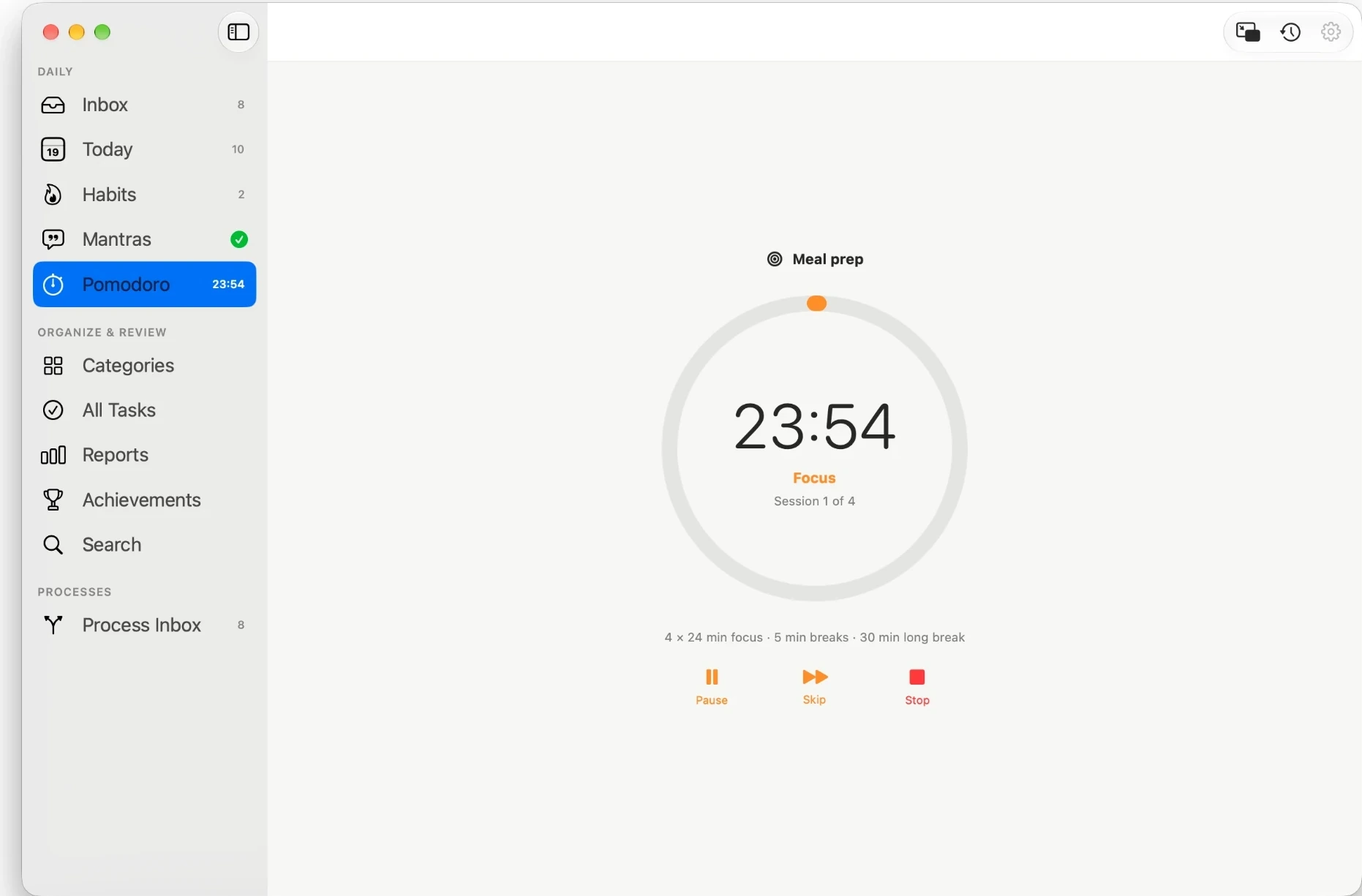
A built-in, cross-device Pomodoro timer that protects your attention. Link a focus session to a specific task, then look back at how much focused time each task received. Start a session from the mini timer inside any task. Your timer stays in sync across iPhone, iPad, and Mac.
Mantras
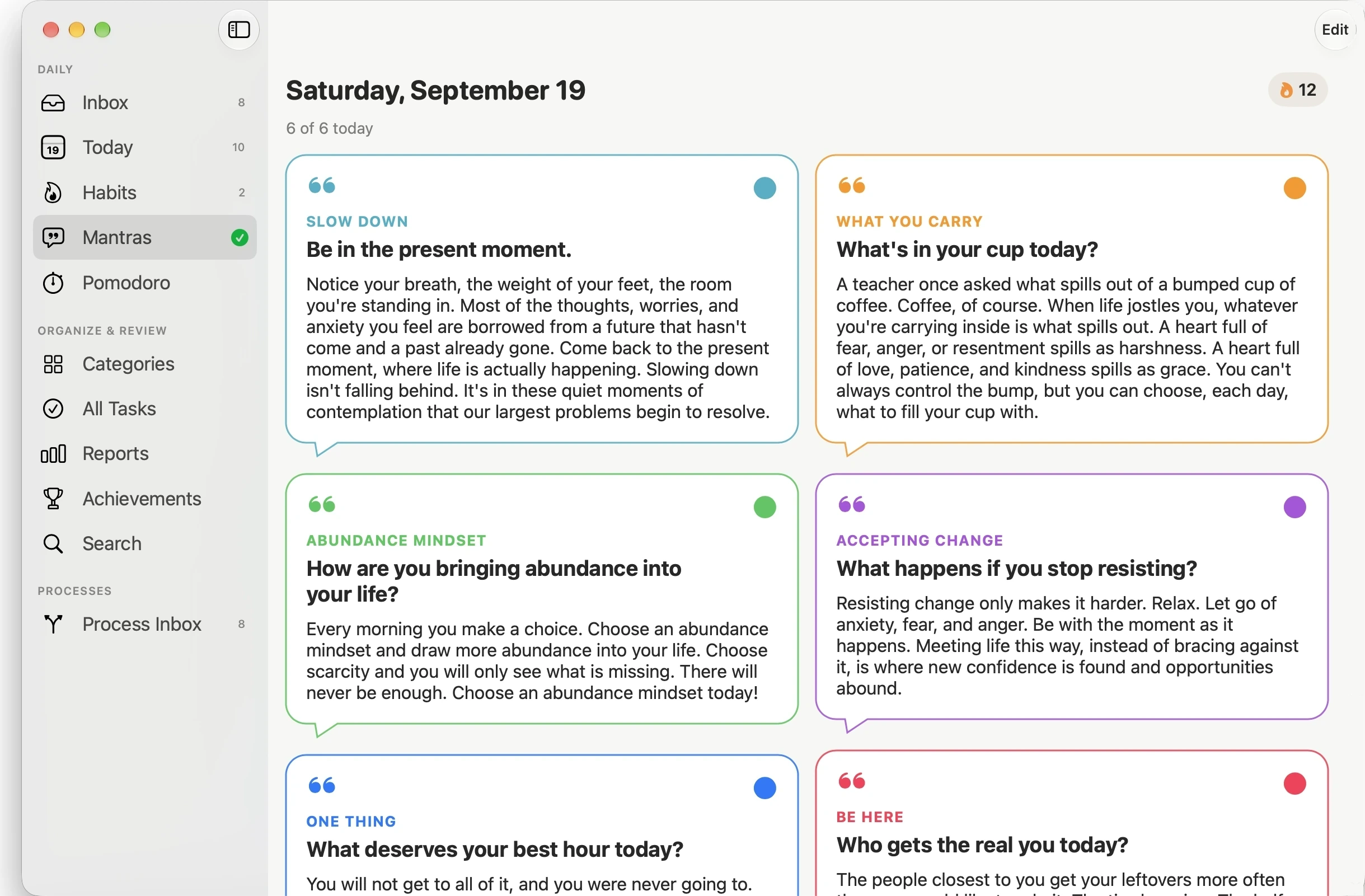
Ground each day in intention. Mantras give your day a mindset to return to, so productivity is about more than a checklist. It becomes a daily practice.
Journal
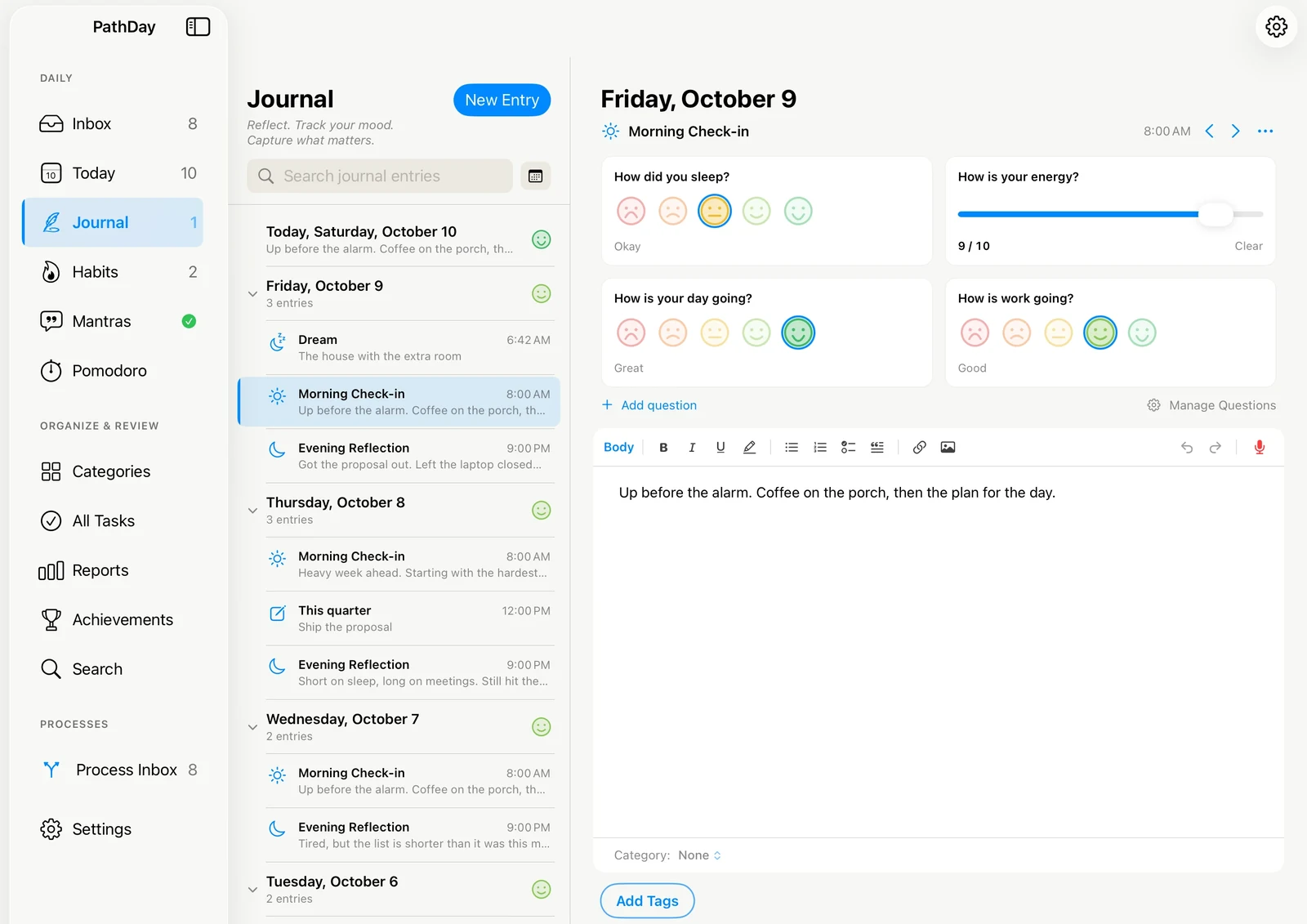
Write down the day you had. A page for every day, kept once a day or as morning and evening check-ins, with short mood questions you write yourself. Entries hold rich text, checklists, photos and voice recordings, and share categories and #hashtags with your tasks.
Screenshots
Current PathDay screens. Use them as provided, without altering the interface.
Feature Highlights
- Every feature is free and stays free, with no ads, no tracking, and no in-app purchases
- A Today-focused home that keeps overdue, current, and upcoming tasks in one calm view
- Categories and inline hashtag tags for organizing by area of life
- An Inbox for capturing anything in one tap, and a Process Inbox pass that clears it with Schedule, Snooze, and Someday
- Priorities, due dates, due times, and up to two reminders per task
- Flexible recurring tasks with daily, weekly, monthly, and yearly patterns
- Subtasks, notes, photo and file attachments, and audio memos with optional transcription
- Habit tracking with streaks, back-dated logging, and a schedule per habit
- A cross-device Pomodoro focus timer that links to your tasks
- Daily mantras to set your mindset
- A Journal with daily entries or check-ins, mood questions you write yourself, rich text, photos, voice entries, and an optional Dream Journal
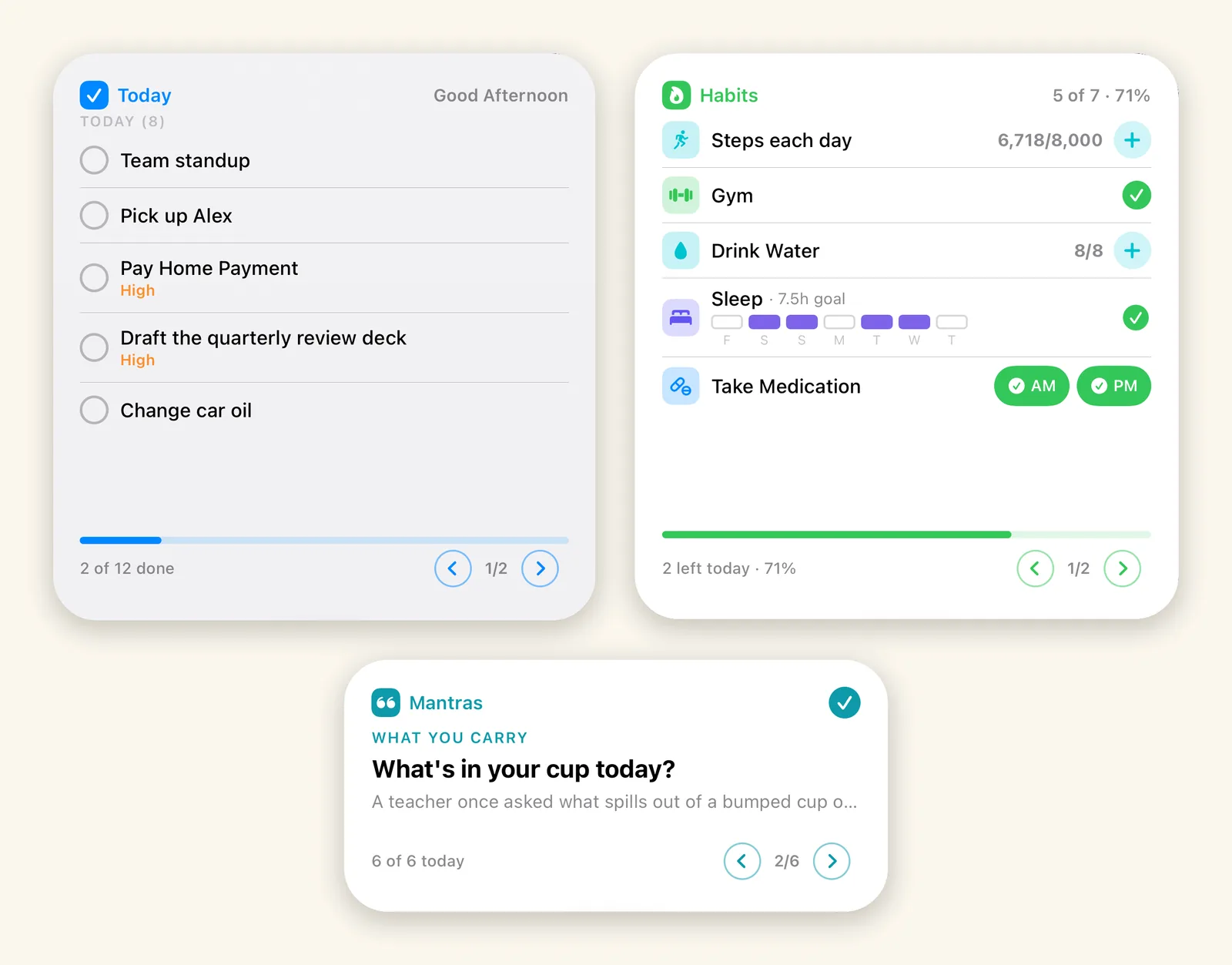
- An Apple Watch app for Today, Habits, and Mantras on your wrist
- Home Screen and Mac desktop widgets for Today, Habits, and Mantras, with one tap to check a task or log a habit
- Reporting that reveals progress and patterns across months and years
- Private by design, with everything synced through your own iCloud across iPhone, iPad, Mac, and Apple Watch
Ready-to-Use Descriptions
Copy any of these directly into your article or roundup.
One line
PathDay is a complete, integrated daily productivity system for iPhone, iPad, Mac, and Apple Watch: tasks, an inbox, habits, a focus timer, daily mantras, and a journal in one place, and it is free.
Short
PathDay brings everything together in one place, for people who want one system instead of five different apps. Tasks, a capture-first Inbox, habits, a Pomodoro timer, daily mantras, and a journal share one daily rhythm across iPhone, iPad, Mac, and Apple Watch. Everything syncs privately through iCloud, and every feature is free.
Long
PathDay is a complete, integrated daily productivity system for iPhone, iPad, Mac, and Apple Watch. Most people run their week across half a dozen apps: one for tasks, another for notes they never process, a habit tracker they gave up on, a timer, something for the intention they meant to keep, and a journal somewhere else again. PathDay brings all of it into one place, built around a single daily rhythm.
Six practices work together. Tasks give you one clear view of today, with priorities, due dates, reminders, subtasks, notes, attachments, categories, tags, and recurring schedules. The Inbox takes anything you are not ready to decide about and holds it until you are. Habits build consistency with streaks that forgive a missed day. Focus is a cross-device Pomodoro timer that links sessions to specific tasks. Mantras ground each day in intention, which is the part that makes it a practice rather than a list. The Journal holds the day you actually had, with check-ins, mood questions you write yourself, photos and voice entries. Reporting then shows your progress across months and years.
PathDay is built and actively maintained by independent developer Jerimy Carroll, who relies on it every day. Every feature is free and stays free. It keeps your data private and in sync through iCloud across all your Apple devices.
About the Developer
PathDay is built and actively maintained by Jerimy Carroll, an independent developer who created the app to solve his own need for a task system that stays simple without sacrificing capability. He uses PathDay every day to manage real work, personal goals, and long-term planning, including the ongoing development of PathDay itself. That direct daily reliance drives continuous improvement and careful, real-world-tested growth.
PathDay is published by Minds Illuminated LLC.
Brand Assets
Usage. Please use PathDay screenshots and artwork as provided, without altering the app icon, logo, or interface. Always refer to the app as PathDay, written as one word with a capital P and a capital D.
Need a specific screenshot, the app icon at full resolution, or a size we have not published here? Ask through the FAQ & Support page and we will send it over.
Writing about PathDay?
Reach us through the FAQ & Support page and we will get back to you.