iPhone Duo arrives on October 23, and PathDay is ready for it. Today’s update gives the Duo its own layout, open and closed, so your day fits the screen you are holding instead of being stretched to fill it.
The update is free, like the rest of PathDay, and it is already on the App Store. If you have PathDay on your iPhone now, it will be on your Duo when you set it up.
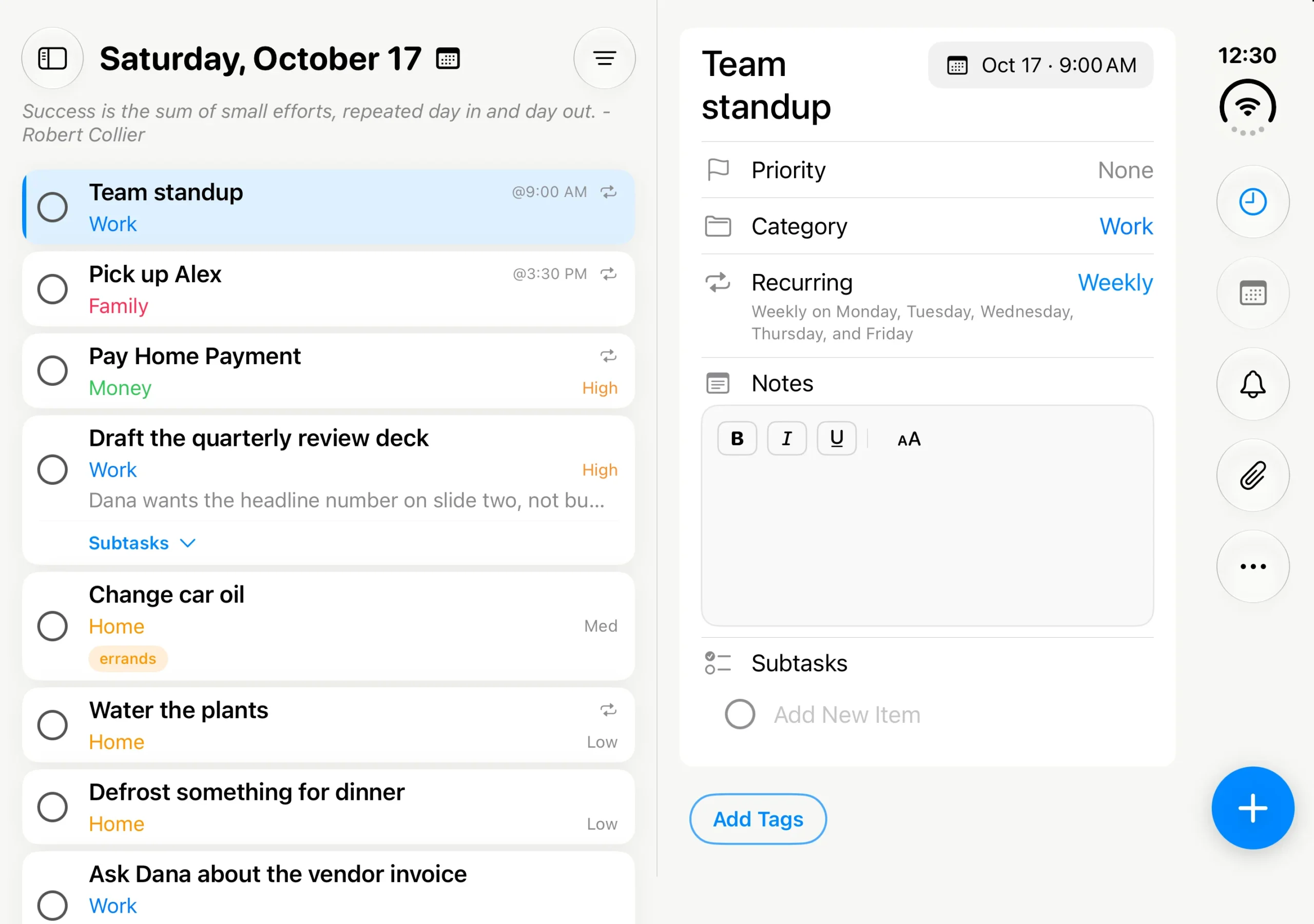
Open: your list and your task, side by side
The Duo folds down the middle, and I wanted PathDay to respect that line rather than draw across it. When you open the Duo, your list sits on the left of the fold and the task you tap opens on the right. You can read the whole day and work on one thing in it without anything sliding over the top.
Today, Inbox, Search, the Journal, Tags, Achievements and Settings all keep the list on one side and the details on the other. Habits, Mantras and Reports use the whole open screen, so your grids and charts get room to breathe. The sidebar stays out of the way until you want it, then slides in from the left.
Down the right edge sits a row of buttons for the things you reach for most while editing a task: the focus timer, the date, a reminder and attachments, with Roll Back and Roll Forward under the last one. There is no Save button. Changes save as you make them.
Turn the open Duo on its side and the fold runs across the screen instead. PathDay follows it, with your list on top and the task underneath.
Closed: the essentials, close at hand
Closed, the Duo is a phone, and PathDay behaves like PathDay on iPhone, with the tab bar along the bottom and your day in front of you.
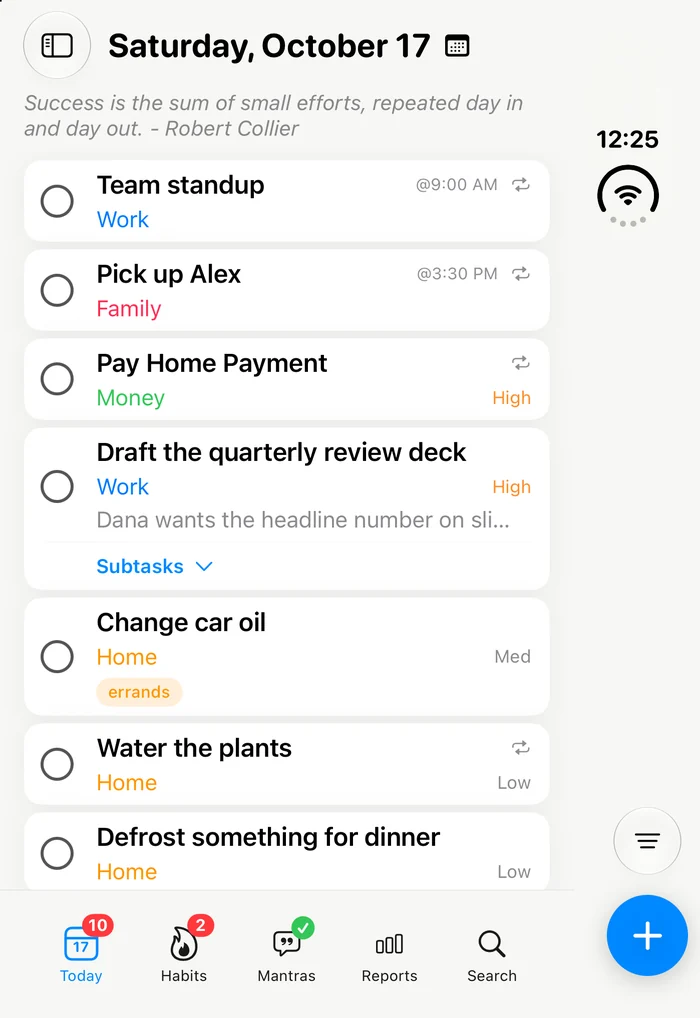
The difference is how you edit. Tap a task and a compact editor rises from the bottom, half the height of the screen, so the rest of your list stays in view. The same buttons from the open screen move into the strip down the side, where your thumb already is. Tap Done and the task is saved with a fresh blank task waiting behind it, so you can add several in a row. Tap outside the editor and it closes and saves.
Fold and unfold without losing your place
The part I care about most is the moment in between. You might start a task on the closed screen on the way out the door and open the Duo once you sit down. A quality productivity app should keep you in the loop through that, not send you back to the start.
So PathDay carries your place across the fold. The screen you were on stays the screen you are on, the task you had open stays open, and anything you were in the middle of typing comes with it. If Settings was open, it is still open. Folding is just a change of view.
Also in this update
The Duo is the headline, but a few things came along with it on every device:
- Link tasks from your Journal. Tap Link Task in an entry to find a task, or create a new one right there.
- See where a task was written about. A task now lists the Journal entries that mention it, under References.
- Deleting a habit you created hides it instead of erasing it. Past days still show it, and you can bring it back with its history from Deleted Habits in the Library.
- On iPad, task notes start right under the formatting toolbar.
What it is not
The Duo layout only appears on iPhone Duo. On every other iPhone, PathDay looks and works exactly as it did, and the iPad keeps its own layout.
Your tasks, habits, mantras and journal still stay in your own iCloud and sync to your iPhone, iPad, Apple Watch and Mac the same way they always have. Nothing about the Duo changes where your data lives.
Get it
PathDay is free on iPhone, iPhone Duo, iPad, Apple Watch and Mac, with every feature included. Update from the App Store, or get it on the App Store if you are new.
PathDay is on iPhone, iPad, Apple Watch and Mac. Free.